


Smooth Skin in Camera Raw: No Photoshop Required
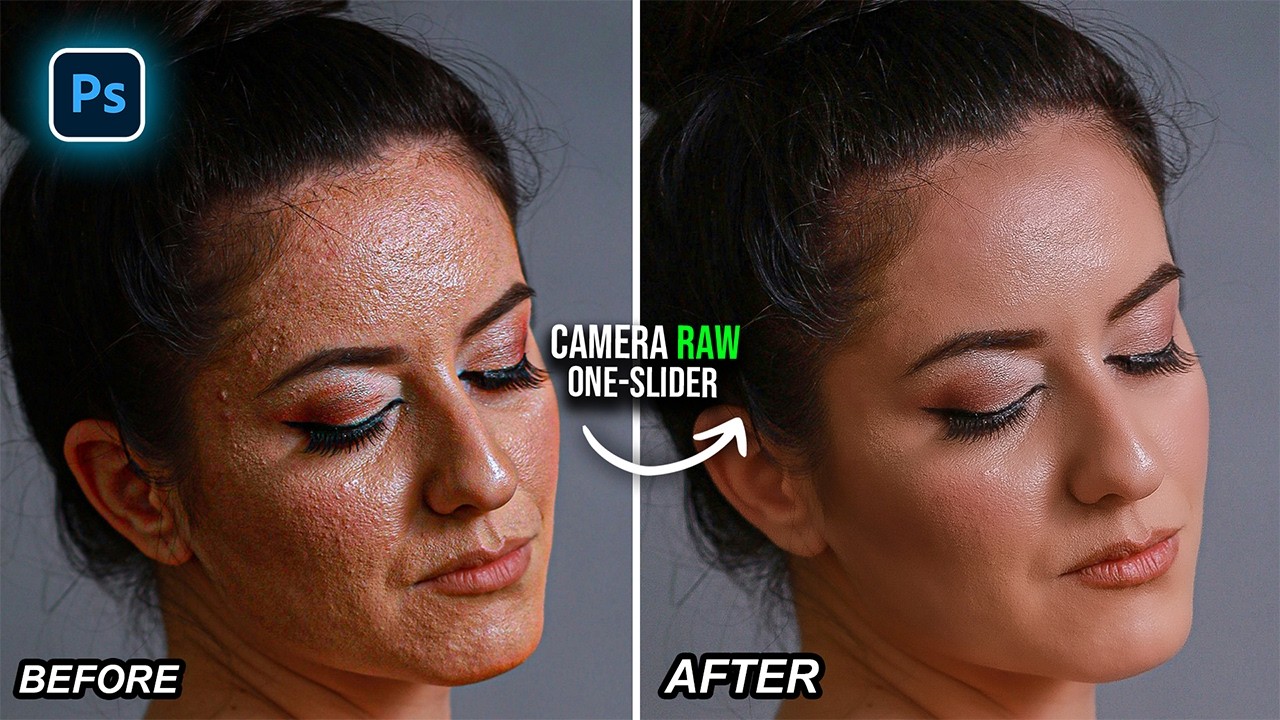
Achieving flawless, natural-looking skin doesn't have to mean hours of painstaking retouching. This tutorial breaks down a simple yet powerful method for smoothing skin using just a handful of sliders inside Camera Raw — no Photoshop, no frequency separation, no complex workflows required.
For anyone who wants fast, realistic skin retouching without diving into advanced techniques, this method delivers exactly that: smooth, polished results that still look human.
Pro Tips for Perfect Skin Texture:
• Use the Healing Brush First: Always remove large distractions manually before applying any smoothing effects to prevent "smudging."• Trust the AI Masking: Use the 'Select People' feature to isolate facial skin automatically, ensuring your eyes and hair remain sharp.
• Negative Texture is Your Friend: Sliding the Texture to the left is the secret to smoothing, but keep it balanced with Clarity to maintain realism.
• Mind the Sharpness: After smoothing, add a touch of sharpness back to the masked skin to ensure the pores look crisp and intentional.
Video via Easy Photoshop





0 comments:
Post a Comment