


End of Real Photography? Can AI truly replace studio photography?
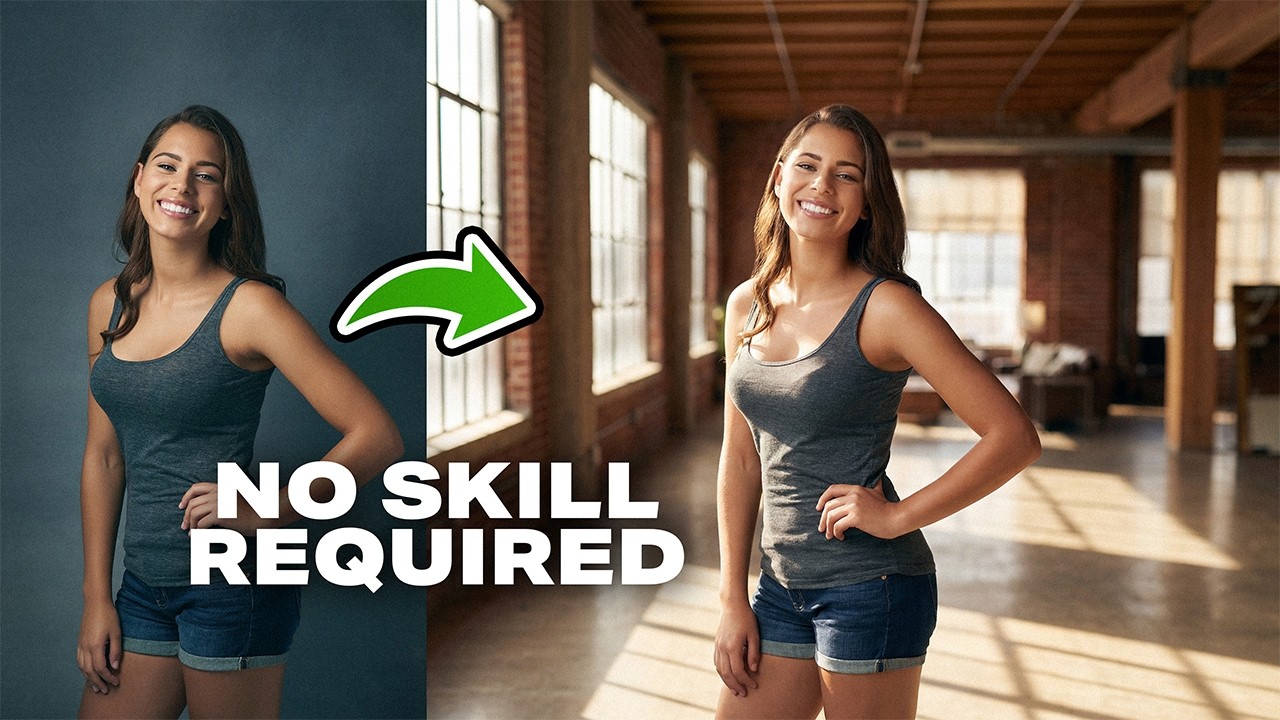
Can AI truly replace studio photography and location shoots as we know them?
By testing real photos with detailed prompts and 8K AI workflows, it is now possible to determine if AI can place subjects in entirely different backdrops with a seamless match of lighting, colors, and pixel-level precision.
The success of an AI composite hinges on lighting consistency. If a subject is photographed with a hard spotlight, the generated background must reflect that same high-contrast environment, or the composite will immediately fail the visual test.
By using a "difference" blend mode during the alignment phase, technicians can ensure that the AI-generated subject features align perfectly with the original capture.
While AI can generate a remarkably similar version of a person, it often fails at capturing the unique nuances of an individual’s identity. The professional solution is a hybrid mask.
Hybrid Masking and the Preservation of Identity
While AI can generate a remarkably similar version of a person, it often fails at capturing the unique nuances of an individual’s identity. The professional solution is a hybrid mask.
By applying a black mask to the AI layer and selectively painting back the original facial features, the photographer retains the soul of the portrait while benefiting from the AI’s superior hair-edge handling.
This transformation from simple studio shots into natural outdoor scenes or street photos relies on preserving the precise original features while testing what the technology does well and where it falls short.
Advanced upscaling techniques have become the bridge between "AI-looking" images and professional-grade assets. Using precision-based upscalers rather than creative ones preserves the original intent without introducing unwanted artifacts.
This ensures that even under extreme magnification, the depth of field and texture remain consistent across the frame, allowing professionals to make an informed judgment about the trajectory of the industry.
• The Difference Mode Hack: Use the 'Difference' blend mode to align your original subject with the AI-generated version with sub-pixel accuracy.
• Prioritize Precision Upscaling: When increasing resolution to 8K, select "Precision" modes to avoid the AI "re-imagining" textures.
• Mind the Shadows: Ensure the AI model understands the direction of your key light to avoid contradictory "double shadows."
Video and images via PiXimperfect
Pro Tips for AI-Enhanced Compositing:
• Use LLMs for Prompting: Feed your source image into an AI analyzer to generate a prompt that describes the lighting ratios and focal length accurately.• The Difference Mode Hack: Use the 'Difference' blend mode to align your original subject with the AI-generated version with sub-pixel accuracy.
• Prioritize Precision Upscaling: When increasing resolution to 8K, select "Precision" modes to avoid the AI "re-imagining" textures.
• Mind the Shadows: Ensure the AI model understands the direction of your key light to avoid contradictory "double shadows."





0 comments:
Post a Comment