


Use a Wide Angle Lens to Move In Closer for Dramatic Compositions
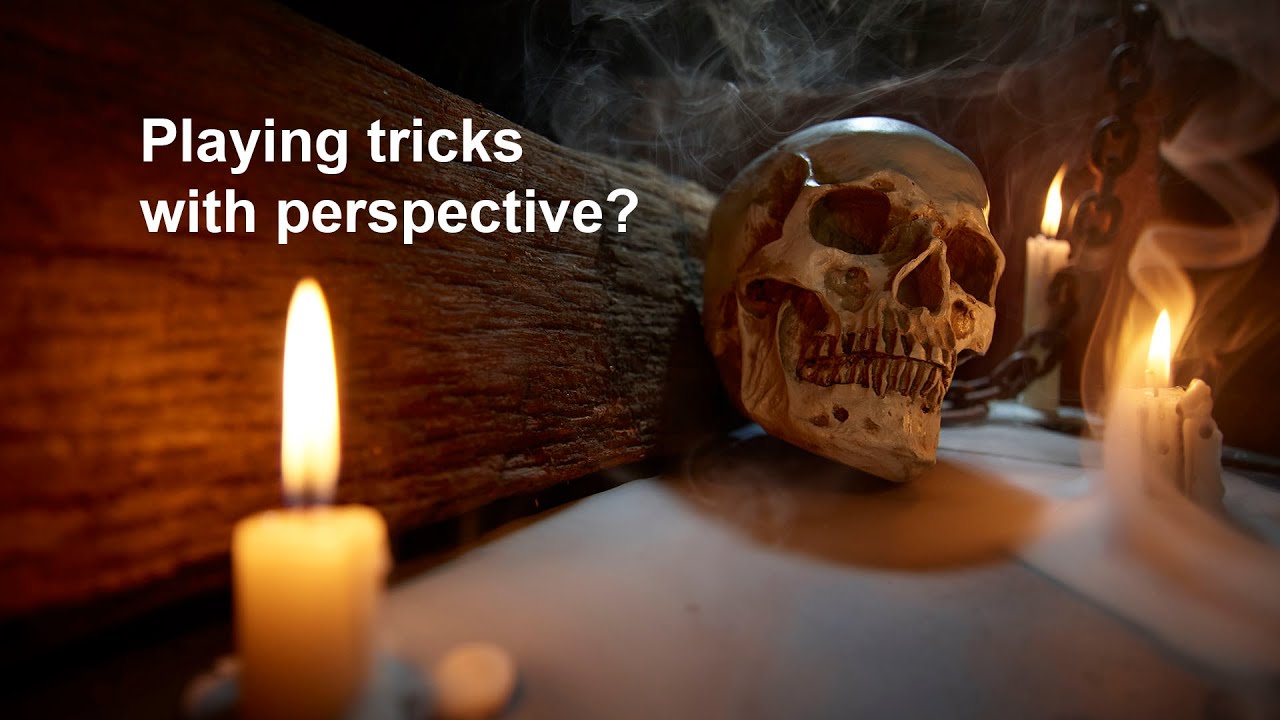
Creating images that feel truly "inclusive"—that pull the viewer into the scene—requires a shift from distant observation to dramatic immersion. The secret to achieving this powerful dramatic composition often lies in one essential tool: the wide-angle lens.
This technique is not just about capturing a wider area; it's about mastering perspective and proximity to amplify the narrative of your shot.
Maximize Depth with Proximity
This proximity dramatically exaggerates the size of foreground elements, turning subtle features like chains or wood into powerful leading lines that guide the eye directly through the composition, intensifying the feeling of depth.
Blending Candlelight and Flash

By lengthening the shutter speed (e.g., 1/30s) and compensating the ISO (e.g., down to 400), you create a one-stop longer exposure.
This slight extension captures the subtle sway of candlelight and any added smoke, enhancing the atmosphere.
A snooted flash, set to its lowest power, acts as a subtle accent, preventing the background from falling into pure shadow and illuminating fine details like smoke trails.
Refining the Scene in Post

Use Photoshop's layer stacking feature to combine the images, strategically using layer masks to paint in the most compelling atmospheric effects.
This process allows you to select the best smoke trails while ensuring the key subject maintains perfect clarity and depth of field, cementing the overall dramatic effect.
Resume for Mastering Dramatic Composition
| Subheading | Key Concept | Practical Tip |
|---|---|---|
| Focal Length & Proximity | Wide-angle lens use | Move the camera much closer to the subject to emphasize foreground elements and leading lines. |
| Light Balancing | Ambient Light & Studio Flash | Lengthen shutter speed (e.g., 1/30s) to register candlelight movement; use low-power, snooted flash for background detail and smoke. |
| Post-Processing | Layer Stacking & Masking | Combine multiple frames (with/without smoke) using layer masks to control where atmospheric effects appear in the final composition. |
Images and video via Camera Club Live





0 comments:
Post a Comment